At a glance
External hard drive, SD card, USB stick, DVD... How do you choose the data storage device suited to your needs?
How do you choose the storage device suited to your needs? Lifespan, capacity, security ... We've put everything under the microscope.
Data storage devices: selection criteria
Computers don't have infinite storage. And if you're a bit of a hoarder when it comes to files, photos or videos, you know you need to find other ways to store your data. You need a data storage device that combines several features:
- a capacity suited to your needs: files, photos, videos and PC backups don't all take up the same amount of space;
- an optimal lifespan: you want to keep your files over time;
- maximum security: your files need to be protected both physically and digitally.
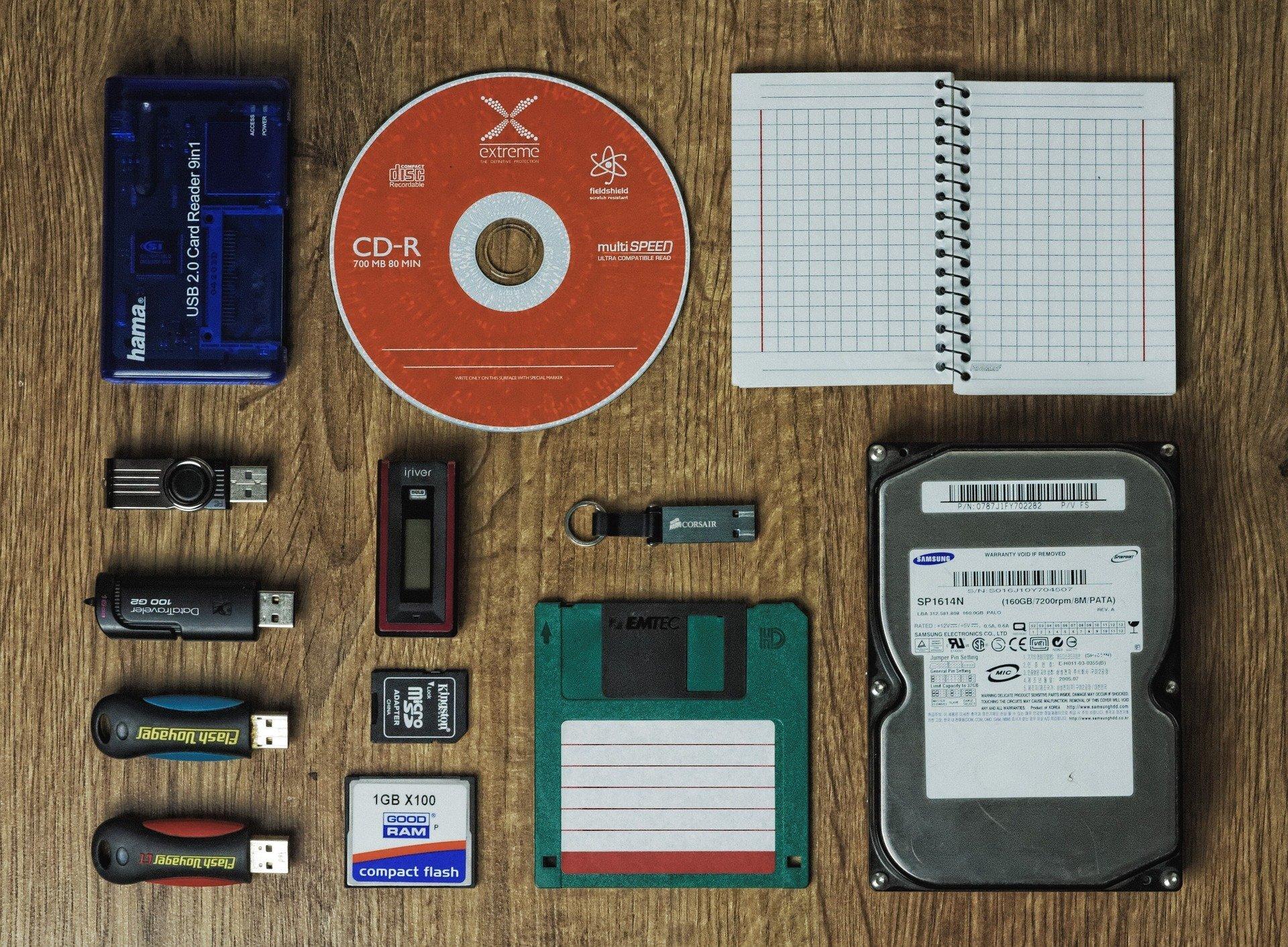
Based on these different points, we compared:
- The external hard drive
- The SD card
- The USB stick
- The CD/DVD
- The Cloud
We deliberately chose not to talk about servers and other network hard drives (NAS), which you can certainly use for remote work, but which are not really designed for individual users.
A quick cybersecurity note: any device connected to your computer can be infected by a virus if your PC has been hacked. Your data, even if stored on the device, could be damaged, stolen or destroyed.
We recommend properly removing your USB sticks, external hard drives or CDs/DVDs from your machine as soon as you've finished saving your files. And, to fight off viruses, run antivirus scans from time to time!
Click on the image to enlarge it

1. Data storage on an external hard drive
The external hard drive is the champion of data storage: you can fit an impressive amount of information on it. Most external hard drives offer storage capacity measured in terabytes (TB). As a reminder, a terabyte is roughly equivalent to the "standard" storage of a recent computer, to 500 hours of HD video, or to 1 million megabytes.
The benefits of an external hard drive don't stop at storage. It can have a long lifespan if you look after it. Realistically, it's estimated to perform optimally for somewhere between 2 and 5 years.
One last point: an external hard drive isn't quite as portable as a USB stick or a CD. It remains transportable and lightweight. What's more, its size can protect it and make it less likely to be lost than a USB stick!
In terms of price, an external hard drive with 1TB of storage sells for around €70.
2. Data storage on an SD card
The SD card is well known to photographers. It's that small rectangular card you slide into the camera to save your photos. It can also be called an "external memory card".
This data storage device can hold several hundred GB of photos or videos. A 128GB SD card holds 4 hours of HD video or 15,000 high-resolution photos.
The SD card remains the best way to store your photos or videos. Given the affordable prices available in shops (often under €30 for 64GB), the SD card is your ally!
The downsides mainly come down to connectivity. You can't plug your SD card in just anywhere. Even though some computers have ports specially designed for this storage system, the norm is still to go through an adapter.
What's more, it's the connectivity itself that could make you lose your photos: frequent back-and-forth between computer and camera can really weaken it over time.
3. Data storage on a USB stick
The USB stick needs no introduction. It has become a natural extension of any computer, just like the mouse or the keyboard. You can find USB sticks of all sizes and shapes, some holding up to 256GB while shaped like an ice cream cone.
The USB stick is the ideal data storage device for everyone: it's small, portable, can hold a large amount of information and plugs in anywhere. Every device has at least one USB port, and not just computers. TVs, game consoles, Blu-ray players. USB really is the standard.
The portable qualities of USB sticks are also their biggest flaw. They get lost in pockets, school bags, under the bed or in the washing machine.
USB sticks can also become unreadable after a while, not recognised by computers or simply too old.
4. Data storage on a CD / DVD
The era of the CD and DVD is nearly over. As proof, some laptops no longer even come with disc drives. Given its technology, the disc is outdated: it's only possible to store 8GB of data. Compared with the 256GB of a USB stick, it just can't keep up!
The disc is also very fragile: the surface that records your data is not protected from the outside - unless you keep it carefully in a case. One scratch, and your files are ruined. Its lifespan, in good condition, is estimated at between 3 and 10 years.
One piece of advice: transfer any files, photos or videos you've stored on discs onto other devices (external hard drive or USB stick).
5. Data storage on the Cloud
You already know the pros and cons of the Cloud. A quick reminder:
- Cloud storage is not physical storage;
- You can store an unlimited amount of data (if you're willing to pay for it);
- Your data's protection is guaranteed 99.9% of the time: a technical mishap (such as a fire) or expert hackers are the only ways your files could disappear.
As you can see, apart from the Cloud, which is in a league of its own, we lean towards the external hard drive, which gets all our votes.
Of course, every data storage device has its own advantages: if you love photography, the SD card is your friend. If you don't need much space, go for the USB stick.
On the other hand, the disc - like the floppy disk before it - has become a relic: fragile device, little storage space ... We have no choice but to put it at the bottom of the ranking.
You've probably got a favourite data storage device. But do you know how to react if a hacker were to steal your personal information?
Article written in collaboration with We are the Words.