At a glance
Webcam hacking is often a bluff, but prevention is better than cure. Here are 6 tips.
Hacked camera, stolen footage, ransom demands...
Webcam hacking is often a bluff. But prevention is better than cure. Here are our tips.
"We've hacked your webcam. We recorded you while you were visiting pornographic websites. If you don't want us to release this footage of you, pay a ransom." This, in short, is what webcam blackmail can look like - also known as "a sextortion scam".
Hackers try to make you believe they have private footage of you and are ready to post it online if you don't meet their demands. Most of the time, these hackers are simply banking on your gullibility: no, they don't actually have any footage of you.
But it's still important to remember good practices to protect yourself from a genuine webcam hack.
6 tips to stop your webcam being hacked
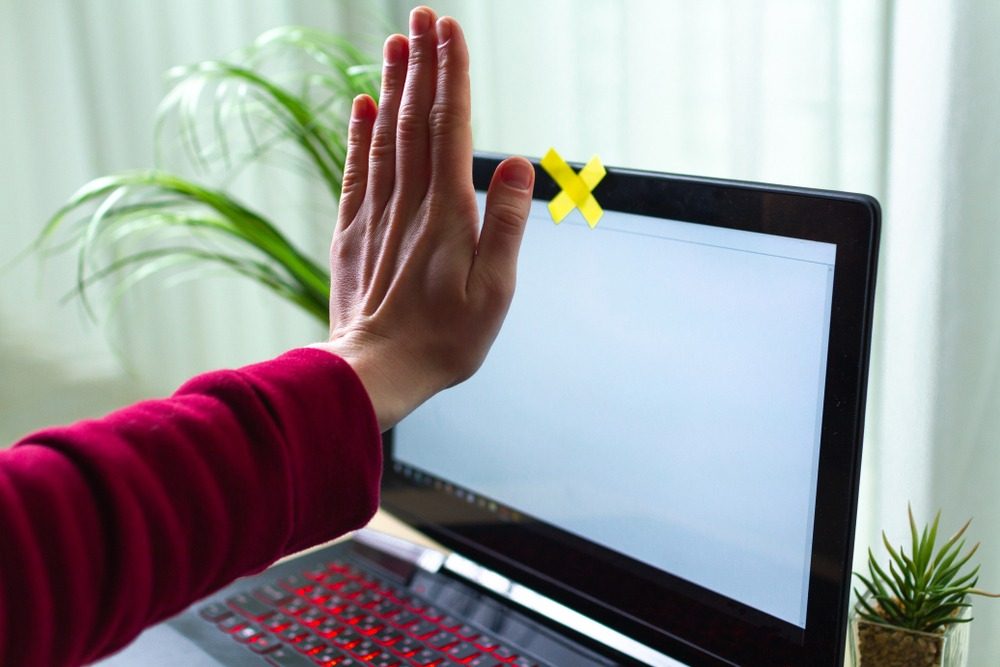
1. Cover your webcam
If there's no footage to record, there's no ransom to demand! Use a sticky note, a piece of opaque tape, or any small piece of paper and place it over your computer's camera.
Take a leaf out of that famous photo of Mark Zuckerberg, Facebook's founder. While the stakes are different for him (he's guarding against industrial espionage rather than sextortion), the technique is the same. Even the most talented hacker can't beat a piece of sticky tape!
2. Keep your systems up to date
We say it in all our articles on cybersecurity: updating your devices protects you. Why? Because software, antivirus and operating system publishers regularly release patches to prevent intrusions.
While we're on the subject of antivirus software, don't hesitate to run a full scan of your computer from time to time!
3. Browse on a secure internet connection
The internet is hackers' gateway into your computer. If possible, connect with an ethernet cable directly to your router. If you use Wi-Fi, follow our tips on securing your Wi-Fi against hacking.
If you're travelling, limit your use of free networks. Always prefer networks that require you to register to connect (in airports, hotels, cafés...).
4. Secure your passwords
Forget "1234", "qwertyuiop", or "myname+mybirthdate". The more letters, numbers and special characters you add, without them forming anything meaningful, the more secure your password will be.
And a well-secured password can take months to crack. That's wasted time for a hacker looking for an easy target.
5. Browse carefully
Don't click on everything that grabs your attention. Hackers can easily gain access to your data - and your webcam - if you make it easy for them. Whether you're checking your emails or shopping online, caution is the mother of virtue!
If a link promises you the world and strongly pushes you to click, stay on your guard. There is a whole host of malicious software that can infect your computer.
6. Protect your browser
This last tip goes hand in hand with careful browsing. To avoid clicking on every ad you see, install ad blockers! This Digitiz blog article offers a list of the 10 best ad blockers to use.
How can you tell if your webcam has been hacked?
While there are sophisticated techniques to find out if your webcam has been hacked, you can already carry out these three checks:
- Check the indicator light: next to your webcam there's a small light that turns on to let you know the camera is active. If the light is on without any action on your part, run an antivirus scan of your device straight away.
- Launch your webcam: if the app tells you the device is already in use - even though it isn't, on your end - this could be a sign of webcam hacking. Check all your applications, close any that need closing, and start an antivirus scan.
- Look through your recordings: a webcam hack can leave traces on your computer, particularly audio and video files.
Your webcam has been hacked and you're being asked for a ransom
Don't panic, and above all, don't respond to the hacker's demands. Remember, in most cases, it's a bluff. That said, don't just sit back and do nothing:
- Block the sender immediately and mark the email as SPAM, without deleting it
- Don't click on any links in the email
- File a complaint with the police
- Change all your passwords
- Run a full scan of your computer with your antivirus software
Have you been hacked? Don't hesitate to read our article "How to react to a personal data theft".
Article written in collaboration with We are the Words.